Open source · Desktop & Browser

The editor that
thinks with you

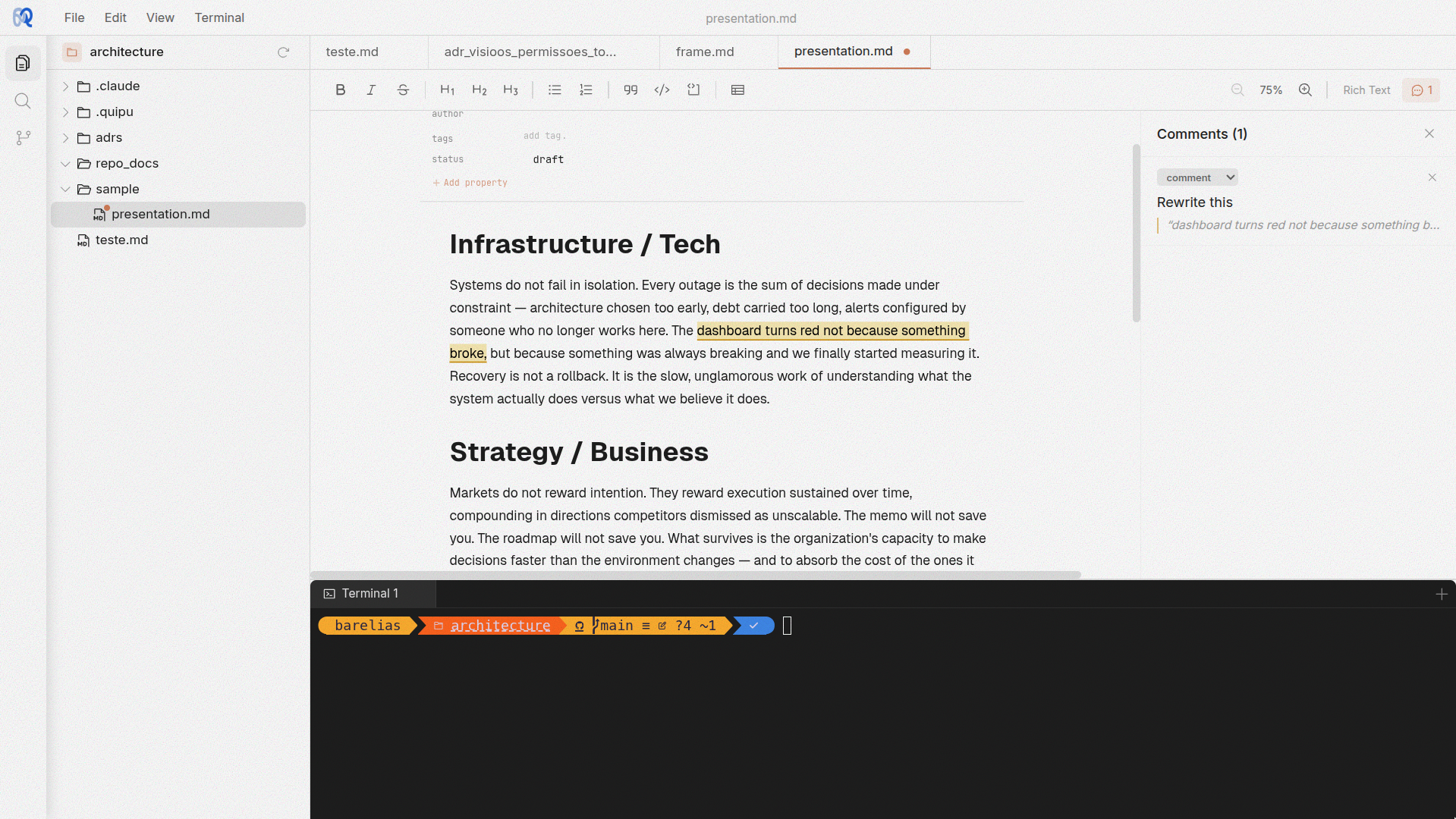
Rich text and code in the same place. Inline comments, markdown, an integrated terminal, and three beautiful themes. Write how you think.
Quipu
Quipu editor screenshot

Everything in one place

Quipu blends the power of a code editor with the expressiveness of a rich text notebook. No context switching. No separate tools.

Rich text editor

Built on TipTap v3. Headings, lists, code blocks, tables, and inline formatting with full markdown round-trip. Write .md files with a real editor.

Integrated terminal

A real terminal powered by xterm.js and node-pty. Run builds, tests, git commands, or launch Claude right from the editor.

Inline comments

Highlight any text and attach a comment. Comments render as warm highlights that expand on hover. Great for review, annotation, and thinking out loud.

Command palette

Ctrl+P for quick file open. Ctrl+Shift+P for commands. Navigate your entire workspace without touching the mouse.

YAML frontmatter

Markdown files with frontmatter get a visual property editor. Add tags, dates, and custom metadata without writing raw YAML.

Desktop & browser

Run as an Electron desktop app with full system access, or in the browser backed by a Go server. Same UI, same features, your choice.

Write prose.
Write code.
Same editor.

Quipu saves .md files as markdown and .quipu files as structured JSON. The editor understands both. Switch between rich formatting and raw text without losing fidelity.

  • Full markdown round-trip with reveal syntax
  • Tables, code blocks, and task lists
  • Send files to Claude with Ctrl+Shift+L
  • File-level AI context via FRAME annotations
.md
# Meeting Notes Action items from today: - [x] Review PR #42 - [ ] Update docs - [ ] Deploy to staging
.quipu
Meeting Notes
Action items from today:
Review PR #42
Update docs
Deploy to staging

The FRAME envelope

Every file in your workspace can carry an invisible layer of context. FRAME is Quipu's per-file metadata system — annotations, instructions, and conversation history that travel with your files without touching them.

1 Annotate your document
project-proposal.md — Quipu
Project Proposal
The migration should replace the existing REST endpoints with a GraphQL layer, reducing round-trips and giving clients control over response shape.
We estimate 3 sprints for the full migration, including backward-compatible shims for legacy consumers.
You
This estimate feels optimistic. Check with backend team on auth token migration complexity.
Timeline
Phase 1 will run parallel stacks — both REST and GraphQL serving production traffic.
You
How does this affect the monitoring setup? Need a dashboard for both.
Phase 2 deprecates REST after 90 days of stable GraphQL performance.
2 Claude reads your comments with /frame
Terminal
~/project $ claude
> /frame project-proposal.md
 
Reading FRAME for project-proposal.md...
Found 2 annotations
 
I see two concerns on this proposal:
 
1. The 3-sprint estimate — auth token migration
   typically adds 1–2 weeks. I'd budget 4 sprints.
 
2. For parallel-stack monitoring, you'll want a
   split Grafana board comparing latency p99 across
   both stacks. I can draft the dashboard JSON.
 
Shall I update the proposal with these suggestions?

Annotations

Highlight any line and leave a comment. Annotations are anchored to specific lines in your code or prose — review notes, TODOs, questions, all visible inline without cluttering the source file.

Instructions

Each file can carry its own instructions — persistent context that tells AI tools how this file should be treated. Think of it as a per-file README that only your tools see.

History

Every AI interaction on a file is logged — what you asked, what changed, and when. Scroll back through the conversation history to understand how a file evolved, or pick up where you left off.

Non-invasive. FRAME metadata lives in .quipu/meta/, never inside your source files. Your code stays clean. Gitignore the folder or commit it — your choice.
Per-file, not global. Every file gets its own envelope. No monolithic config. Context stays local to the file it belongs to, so it scales with your project.
Tool-agnostic. FRAME files are plain JSON. Any tool — Claude, Copilot, your own scripts — can read and write them. Quipu creates the envelope; your workflow fills it.

Three themes. Zero compromise.

Light for bright rooms. Tinted for warm, focused writing. Dark for late nights. Cycle through them with a single keystroke.

Light
Tinted
Dark

Start writing

Quipu is free and open source. Download the desktop app or run it in your browser.

Available for Windows, macOS, and Linux